AODocs APIs let you programmatically access, manage, and configure AODocs objects and their associated metadata, including libraries, classes, documents, attachments, and properties.
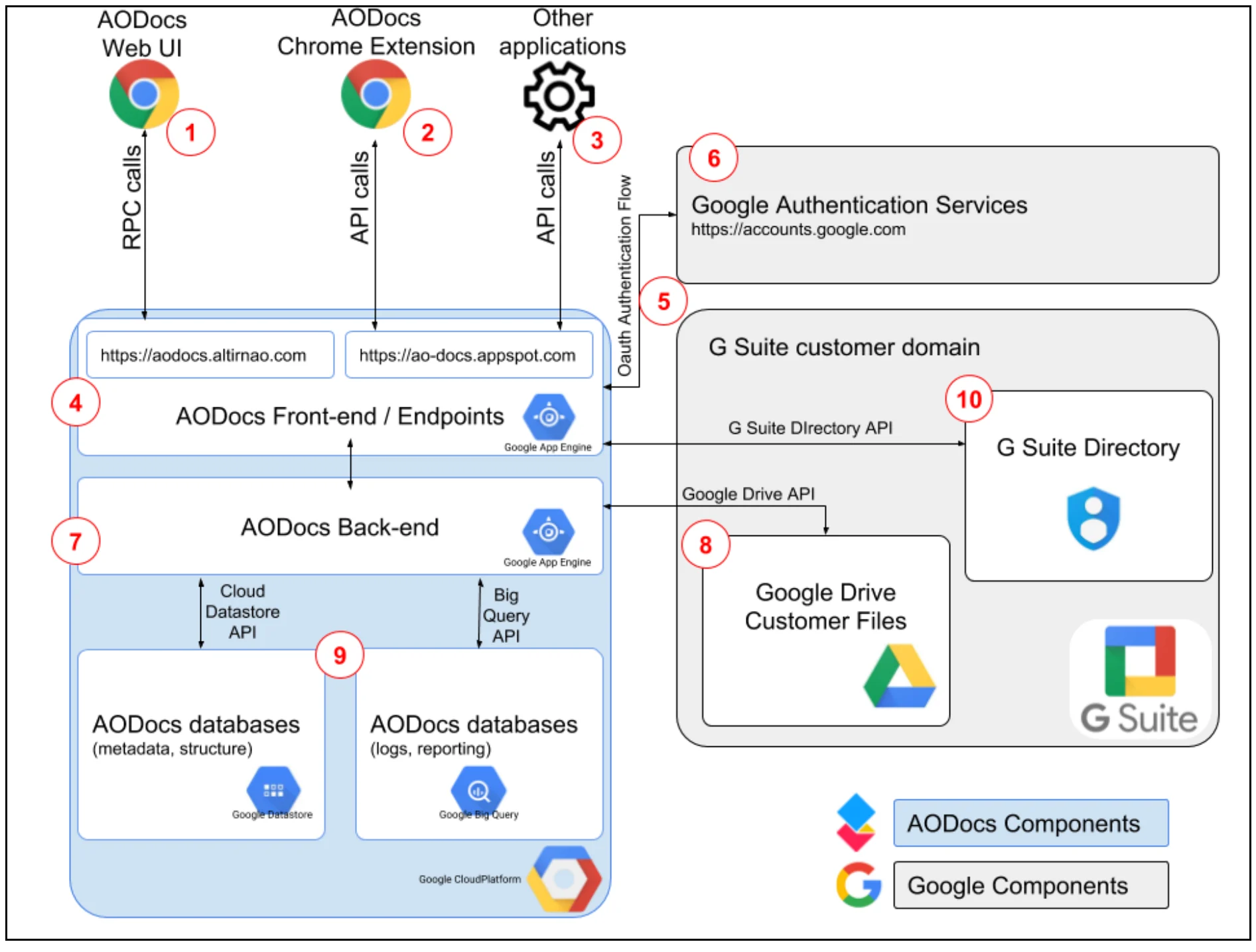
Most of the features available to users accessing the AODocs UI through a web browser are also available with the AODocs API.The APIs also let you interact indirectly with some AODocs-related Google Drive API functionality, including some mediated access to files and folders in Drive.The following diagram shows the interactions between the major components:
The following terms define key components shown in Figure 1:Google DriveGoogle’s cloud file storage service that provides users with a personal storage space, called My Drive, and the option to access collaborative shared folders, called shared drives.Google Drive APIThe REST API that allows you to leverage Google Drive storage from within your app.AODocs APIThe REST API that allows you to leverage AODocs functionality from within your app.Third-party appAn app that leverages AODocs APIs (and, indirectly, Google Drive APIs) as its document management and file storage solution.AODocs Web UIThe AODocs user interface used by an end-user to manage AODocs documents and Google Drive files attached to them.Google Drive Customer FilesA Google Drive storage location that a specific user owns. Ownership of the content of the files stored on Google Drive remains specific to an individual user, unless the file gets attached to an AODocs document, at which point the ownership is transferred to the corporate account.OAuth 2.0The protocol that Google Drive API requires to authenticate your app users. If your application uses Google Sign-in , it handles the OAuth 2.0 flow and application access tokens.