PUT
https://aodocs.altirnao.com
/
api
/
documentType
/
v1
/
libraries
/
{libraryId}
GET https://aodocs.altirnao.com/api/documentType/v1/libraries/RrVcEFb8wtDeNAnlmNN
{
  "kind": "aodocs#classList",
  "items": [
    {
      "kind": "aodocs#classId",
      "id": "RnTbOft44KfZYkfBpV",
      "displayName": "my-dms-class-001-default",
      "libraryId": "RnTG8PDu8ZqTuDVHcv",
      "defaultClass": true,
    },
    {
      "kind": "aodocs#classId",
      "id": "RnTf1mx35gaTJLzoFp",
      "displayName": "my-dms-class-002-not-default",
      "libraryId": "RnTG8PDu8ZqTuDVHcv",
      "defaultClass": false,
    }
  ]
}

Method and API

Play with the API Explorer:

PUT /documentType/v1/libraries/{libraryId}

Guidelines

Request

Only libraryId is mandatory.

Sample request

GET https://aodocs.altirnao.com/api/documentType/v1/libraries/RrVcEFb8wtDeNAnlmNN
To return just the bare minimum of class ID and displayName in the response, you can filter the results by populating the fields query parameter with items(displayName,id,kind),kind with %2C in place of each comma as follows:
?fields=items(displayName%2Cid%2Ckind)%2Ckind

Responses

The response returns an ApiDocumentTypeList resource, listing all document classes available as part of the specified library. Response fields of note:
  • id (of the class)
  • displayName(of the class)
  • libraryId (of the library we searched)
  • defaultClass (whether or not this is the library’s default class)
  • any other fields of interest
{
  "kind": "aodocs#classList",
  "items": [
    {
      "kind": "aodocs#classId",
      "id": "RnTbOft44KfZYkfBpV",
      "displayName": "my-dms-class-001-default",
      "libraryId": "RnTG8PDu8ZqTuDVHcv",
      "defaultClass": true,
    },
    {
      "kind": "aodocs#classId",
      "id": "RnTf1mx35gaTJLzoFp",
      "displayName": "my-dms-class-002-not-default",
      "libraryId": "RnTG8PDu8ZqTuDVHcv",
      "defaultClass": false,
    }
  ]
}

List classes in the UI

You can also list your library classes in the UI, on the Library Administration page. Go to Administration > Library administration. In the left-hand pane, go to Library configuration > Document classes. This is where your classes are listed. Note the singular green checkmark signifying the library’s default class.
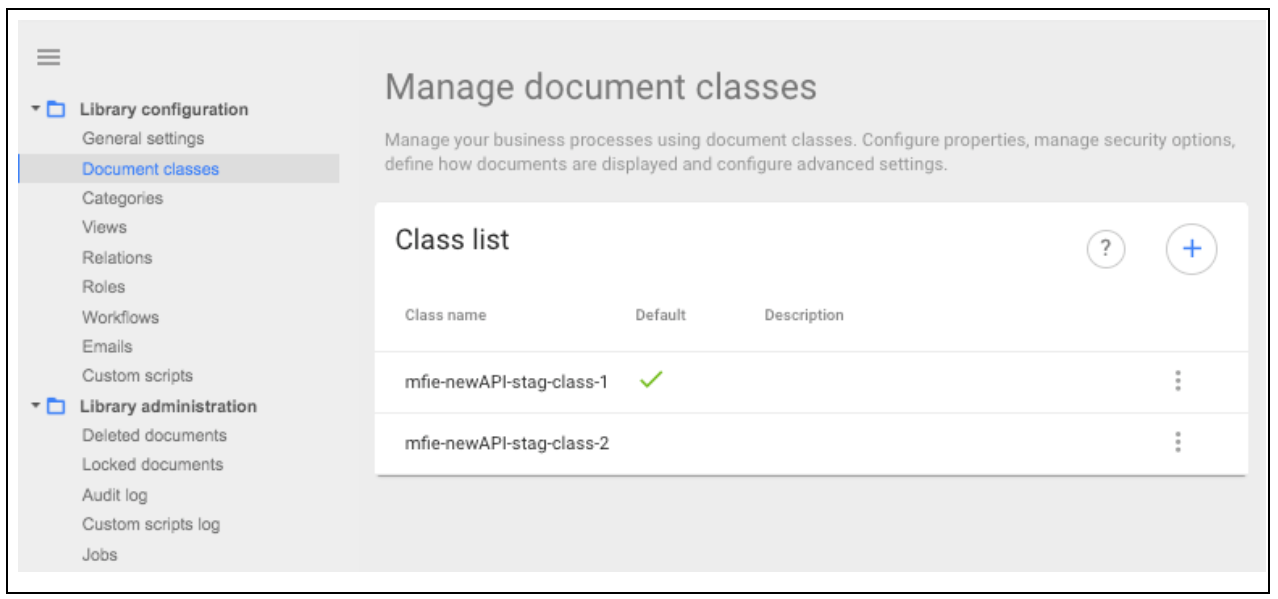
list-classes-in-ui.png